nih gua punya pb
id:j4ng4nma
pass:garuda123
id:jurigmilan2
pass:garuda123
THANKS
n

Jumat, 10 Mei 2013

Kalender Lucu Untuk Blogger kesayangan anda
Ingin mempercantik blog dengan kalender (Kalender Lucu Untuk Blogger)?
Hari ini saya akan menuliskan tutorial / cara pasang kalender untuk blogger dengan menggunakanblog kalender widget.
Sebelum saya tuliskan cara pasang kalender di blogger, mungkin teman-teman ingin melihat bagaimana penampilan kalender lucu untuk blogger ini, berikut gambar kalender tersebut
 Ada berbagai macam pilihan blog kalender widget yang bisa kamu pilih, silakan pilih kalender lucu untuk blogger yang kamu suka.

Mungkin kalendernya tidak langsung bisa dilihat (tergantung koneksi internet yang kita gunakan)
Nah itulah tutorial/panduan cara pasang kalender di blogger menggunakan script kalender lucu untuk blogger.
Selamat mencoba dan semoga bermanfaat.
Hari ini saya akan menuliskan tutorial / cara pasang kalender untuk blogger dengan menggunakanblog kalender widget.
Sebelum saya tuliskan cara pasang kalender di blogger, mungkin teman-teman ingin melihat bagaimana penampilan kalender lucu untuk blogger ini, berikut gambar kalender tersebut

Widget Blog Kalender
Berikut cara mendapatakan script kalender widget untuk di pasang pada blog blogger kamu- Kunjungi www.cuteki.com/widgets/calendars/
- Pilih dan klik widget kalender yang kamu suka
- Sesuaikan lebar widget kalender ini dengan template blogger yang kamu gunakan saat ini
- Kopi dan paste script kalender widget di blog blogger kamu
Panduan Cara Pasang Kalender Di Blogger
Berikut tutorial pasang kalender widget di blogger- Login ke blogger
- Pilih menu Rancangan / Tata Letak
- Klik Tambah Gadget / Add Gadget
- Pilih Gadget HTML/JavaScript
- Paste script kalender widget di sana
- Simpan
Demo Kalender Lucu Untuk Blogger
Cuteki cards birthday
Mungkin kalendernya tidak langsung bisa dilihat (tergantung koneksi internet yang kita gunakan)
Nah itulah tutorial/panduan cara pasang kalender di blogger menggunakan script kalender lucu untuk blogger.
Selamat mencoba dan semoga bermanfaat.
Animasi cartoon untuk blog kesayangan anda
1.pig

<div style="position: fixed; bottom: 0px; left: 10px;width:130px;height:160px;"><a href="http://berbagi-html.blogspot.com/" target="_blank"><img border="0" src="http://s.myniceprofile.com/myspacepic/110/th/11046.gif" title="My widget" alt="animasi bergerak gif" /></a><small><center><a href="http://berbagi-html.blogspot.com/2012/10/animasi-cartoon-di-blog.html" target="_blank"title="Cara Memasang Widget Animasi">My Widget</a></center></small></div>
2. Muka senyum

<div style="position: fixed; bottom: 0px; left: 10px;width:130px;height:160px;"><a href="http://berbagi-html.blogspot.com/" target="_blank"><img border="0" src="http://s.myniceprofile.com/myspacepic/197/th/19769.gif" title="My widget" alt="animasi bergerak gif" /></a><small><center><a href="http://permathic.blogspot.com/2012/04/kumpulan-widget-animasi-yang-lucu-dan.html" target="_blank" title="Cara Memasang Widget Animasi">My Widget</a></center></small></div>
3. monyet

<div style="position: fixed; bottom: 0px; left: 10px;width:130px;height:160px;"><a href="http://berbagi-html.blogspot.com/" target="_blank"><img border="0" src="http://s.myniceprofile.com/myspacepic/458/th/45845.gif" title="My widget" alt="animasi bergerak gif" /></a><small><center><a href="http://berbagi-html.blogspot.com/2012/10/animasi-cartoon-di-blog.html" target="_blank"title="Cara Memasang Widget Animasi">My Widget</a></center></small></div>
4.Doraemon

<div style="position: fixed; bottom: 0px; left: 10px;width:130px;height:160px;"><a href="http://berbagi-html.blogspot.com/" target="_blank"><img border="0" src="http://s.myniceprofile.com/myspacepic/1031/th/103123.gif" title="My widget" alt="animasi bergerak gif" /></a><small><center><a href="http://berbagi-html.blogspot.com/2012/10/animasi-cartoon-di-blog.html" target="_blank"title="Cara Memasang Widget Animasi">My Widget</a></center></small></div>
5.Spongebob

<div style="position: fixed; bottom: 0px; left: 10px;width:130px;height:160px;"><a href="http://berbagi-html.blogspot.com/" target="_blank"><img border="0" src="http://s.myniceprofile.com/myspacepic/1028/th/102882.gif" title="My widget" alt="animasi bergerak gif" /></a><small><center><a href="http://berbagi-html.blogspot.com/2012/10/animasi-cartoon-di-blog.html" target="_blank"title="Cara Memasang Widget Animasi">My Widget</a></center></small></div>
6.Panda

<div style="position: fixed; bottom: 0px; left: 10px;width:130px;height:160px;"><a href="http://berbagi-html.blogspot.com/" target="_blank"><img border="0" src="http://s.myniceprofile.com/myspacepic/212/th/21215.gif" title="My widget" alt="animasi bergerak gif" /></a><small><center><a href="http://berbagi-html.blogspot.com/2012/10/animasi-cartoon-di-blog.html" target="_blank"title="Cara Memasang Widget Animasi">My Widget</a></center></small></div>
6.Monyet loncat

<div style="position: fixed; bottom: 0px; left: 10px;width:130px;height:160px;"><a href="http://berbagi-html.blogspot.com/" target="_blank"><img border="0" src="http://s.myniceprofile.com/myspacepic/539/th/53966.gif" title="My widget" alt="animasi bergerak gif" /></a><small><center><a href="http://berbagi-html.blogspot.com/2012/10/animasi-cartoon-di-blog.html" target="_blank"title="Cara Memasang Widget Animasi">My Widget</a></center></small></div>
7.Anime cewek

<div style="position: fixed; bottom: 0px; left: 10px;width:130px;height:160px;"><a href="http://berbagi-html.blogspot.com/" target="_blank"><img border="0" src="http://s.myniceprofile.com/myspacepic/228/th/22801.gif" title="My widget" alt="animasi bergerak gif" /></a><small><center><a href="http://berbagi-html.blogspot.com/2012/10/animasi-cartoon-di-blog.html" target="_blank"title="Cara Memasang Widget Animasi">My Widget</a></center></small></div>
semoga bermanfaat
Kumpulan Widget Animasi Keren untuk Blog
 |
| gedeg |
<div style="bottom: 0px; height: 160px; left: 10px; position: fixed; width: 130px;">
<a href="http://berbagi-html.blogspot.com/" target="_blank"><img alt="animasi bergerak gif" border="0" src="http://i1082.photobucket.com/albums/j380/faris65/aLdo.gif" title="My widget" /></a><small></small>
<center>
<small><a href="http://berbagi-html.blogspot.com/2012/08/widget-animasi-keren-di-blog.html" target="_blank" title="Kumpulan Widget Animasi Keren Di Blog">My Widget</a></small></center>
</div>
 |
| nemo |
<a href="http://berbagi-html.blogspot.com/" target="_blank"><img alt="animasi bergerak gif" border="0" src="http://i1082.photobucket.com/albums/j380/faris65/SuRyD.gif" title="My widget" /></a><small></small>
<center>
<small><a href="http://berbagi-html.blogspot.com/2012/08/widget-animasi-keren-di-blog.html" target="_blank" title="Kumpulan Widget Animasi Keren Di Blog">My Widget</a></small></center>
</div>
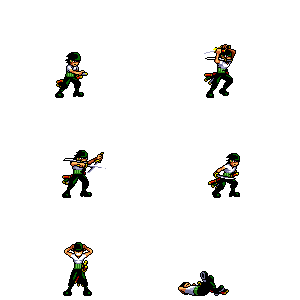 |
| joro |
<div style="bottom: 0px; height: 160px; left: 10px; position: fixed; width: 130px;">
<a href="http://berbagi-html.blogspot.com/" target="_blank"><img alt="animasi bergerak gif" border="0" src="http://i1082.photobucket.com/albums/j380/faris65/zoroattack.gif" title="My widget" /></a><small></small>
<center>
<small><a href="http://berbagi-html.blogspot.com/2012/08/widget-animasi-keren-di-blog.html" target="_blank" title="Kumpulan Widget Animasi Keren Di Blog">My Widget</a></small></center>
</div>
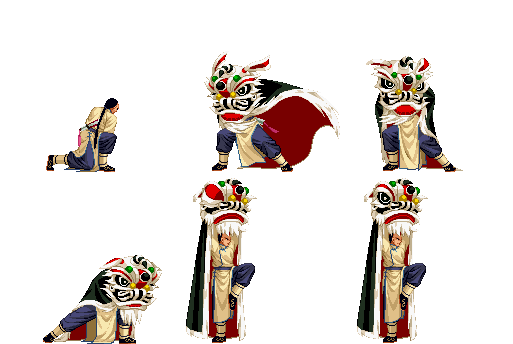 |
| barongsai |
<a href="http://berbagi-html.blogspot.com/" target="_blank"><img alt="animasi bergerak gif" border="0" src="http://i1082.photobucket.com/albums/j380/faris65/Barongsai-1.gif" title="My widget" /></a><small></small>
<center>
<small><a href="http://berbagi-html.blogspot.com/2012/08/widget-animasi-keren-di-blog.html" target="_blank" title="Kumpulan Widget Animasi Keren Di Blog">My Widget</a></small></center>
</div>
 |
| berubah |
<div style="bottom: 0px; height: 160px; left: 10px; position: fixed; width: 130px;">
<a href="http://berbagi-html.blogspot.com/" target="_blank"><img alt="animasi bergerak gif" border="0" src="http://i1082.photobucket.com/albums/j380/faris65/berubah.gif" title="My widget" /></a><small></small>
<center>
<small><a href="http://berbagi-html.blogspot.com/2012/08/widget-animasi-keren-di-blog.html" target="_blank" title="Kumpulan Widget Animasi Keren Di Blog">My Widget</a></small></center>
</div>

<div style="bottom: 0px; height: 160px; left: 10px; position: fixed; width: 130px;">
<a href="http://berbagi-html.blogspot.com/" target="_blank"><img alt="animasi bergerak gif" border="0" src="http://i1082.photobucket.com/albums/j380/faris65/dandan.gif" title="My widget" /></a><small></small>
<center>
<small><a href="http://berbagi-html.blogspot.com/2012/08/widget-animasi-keren-di-blog.html" target="_blank" title="Kumpulan Widget Animasi Keren Di Blog">My Widget</a></small></center>
</div>

<div style="bottom: 0px; height: 160px; left: 10px; position: fixed; width: 130px;">
<a href="http://berbagi-html.blogspot.com/" target="_blank"><img alt="animasi bergerak gif" border="0" src="http://i1082.photobucket.com/albums/j380/faris65/Dup3ngupil.gif" title="My widget" /></a><small></small>
<center>
<small><a href="http://berbagi-html.blogspot.com/2012/08/widget-animasi-keren-di-blog.html" target="_blank" title="Kumpulan Widget Animasi Keren Di Blog">My Widget</a></small></center>
</div>

<div style="bottom: 0px; height: 160px; left: 10px; position: fixed; width: 130px;">
<a href="http://berbagi-html.blogspot.com/" target="_blank"><img alt="animasi bergerak gif" border="0" src="http://i1082.photobucket.com/albums/j380/faris65/ganteng.gif" title="My widget" /></a><small></small>
<center>
<small><a href="http://berbagi-html.blogspot.com/2012/08/widget-animasi-keren-di-blog.html" target="_blank" title="Kumpulan Widget Animasi Keren Di Blog">My Widget</a></small></center>
</div>

<div style="bottom: 0px; height: 160px; left: 10px; position: fixed; width: 130px;">
<a href="http://berbagi-html.blogspot.com/" target="_blank"><img alt="animasi bergerak gif" border="0" src="http://i1082.photobucket.com/albums/j380/faris65/hehe.gif" title="My widget" /></a><small></small>
<center>
<small><a href="http://berbagi-html.blogspot.com/2012/08/widget-animasi-keren-di-blog.html" target="_blank" title="Kumpulan Widget Animasi Keren Di Blog">My Widget</a></small></center>
</div>

<div style="bottom: 0px; height: 160px; left: 10px; position: fixed; width: 130px;">
<a href="http://berbagi-html.blogspot.com/" target="_blank"><img alt="animasi bergerak gif" border="0" src="http://i1082.photobucket.com/albums/j380/faris65/hiks1.gif" title="My widget" /></a><small></small>
<center>
<small><a href="http://berbagi-html.blogspot.com/2012/08/widget-animasi-keren-di-blog.html" target="_blank" title="Kumpulan Widget Animasi Keren Di Blog">My Widget</a></small></center>
</div>

<div style="bottom: 0px; height: 160px; left: 10px; position: fixed; width: 130px;">
<a href="http://berbagi-html.blogspot.com/" target="_blank"><img alt="animasi bergerak gif" border="0" src="http://i1082.photobucket.com/albums/j380/faris65/hore.gif" title="My widget" /></a><small></small>
<center>
<small><a href="http://berbagi-html.blogspot.com/2012/08/widget-animasi-keren-di-blog.html" target="_blank" title="Kumpulan Widget Animasi Keren Di Blog">My Widget</a></small></center>
</div>
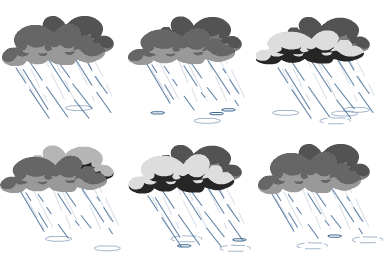 |
| hujan |
<div style="bottom: 0px; height: 160px; left: 10px; position: fixed; width: 130px;">
<a href="http://berbagi-html.blogspot.com/" target="_blank"><img alt="animasi bergerak gif" border="0" src="http://i1082.photobucket.com/albums/j380/faris65/hujan.gif" title="My widget" /></a><small></small>
<center>
<small><a href="http://berbagi-html.blogspot.com/2012/08/widget-animasi-keren-di-blog.html" target="_blank" title="Kumpulan Widget Animasi Keren Di Blog">My Widget</a></small></center>
</div>
 |
| unyu-unyu |
<div style="bottom: 0px; height: 160px; left: 10px; position: fixed; width: 130px;">
<a href="http://berbagi-html.blogspot.com/" target="_blank"><img alt="animasi bergerak gif" border="0" src="http://i1082.photobucket.com/albums/j380/faris65/huuuuuu.gif" title="My widget" /></a><small></small>
<center>
<small><a href="http://berbagi-html.blogspot.com/2012/08/widget-animasi-keren-di-blog.html" target="_blank" title="Kumpulan Widget Animasi Keren Di Blog">My Widget</a></small></center>
</div>

<div style="bottom: 0px; height: 160px; left: 10px; position: fixed; width: 130px;">
<a href="http://berbagi-html.blogspot.com/" target="_blank"><img alt="animasi bergerak gif" border="0" src="http://i1082.photobucket.com/albums/j380/faris65/jedug.gif" title="My widget" /></a><small></small>
<center>
<small><a href="http://berbagi-html.blogspot.com/2012/08/widget-animasi-keren-di-blog.html" target="_blank" title="Kumpulan Widget Animasi Keren Di Blog">My Widget</a></small></center>
</div>
 |
| kembik2 |
<div style="bottom: 0px; height: 160px; left: 10px; position: fixed; width: 130px;">
<a href="http://berbagi-html.blogspot.com/" target="_blank"><img alt="animasi bergerak gif" border="0" src="http://i1082.photobucket.com/albums/j380/faris65/kembik2.gif" title="My widget" /></a><small></small>
<center>
<small><a href="http://berbagi-html.blogspot.com/2012/08/widget-animasi-keren-di-blog.html" target="_blank" title="Kumpulan Widget Animasi Keren Di Blog">My Widget</a></small></center>
</div>
semoga bermanfaat
Cara Mudah Mendapatkan Pulsa Gratis 5000~700.000
Cara Mudah Mendapatkan Pulsa Gratis 5000~700.000 ini untuk semua operator baik itu XL , Telkomsel , Axis , 3 , Indosat , Maupun CDMA.
Berikut ini adalah langkah langkah nya :
1. masuk http://mcent.com/ref/QKND1N/.
2. Setelah itu anda diminta memasukan no. HP anda , Tulis no. HP di kotak yang tersedia .
misalnya : 08523200xxxx

3. Kemudian klik Daftar
4. pilih sesuai operator anda.
 5. Setelah itu akan ada sms masuk , kemudian masukan kode aktivasi akun anda .
6. Next , akan seperti gambar dibawah ini , Klik Enter to win


Apabila anda sudah mendapatkan pulsa yang mencukupi , anda bisa mengambil pulsa minimal sudah ada 5000.
Sekian artikel tentang Cara Mudah Mendapatkan Pulsa Gratis 5000~700.000. mudah kan langkah langkah nya ? anda cukup daftar dan ikuti langkah-langkah nya seperti diatas.
Semoga bermanfaat.
Berikut ini adalah langkah langkah nya :
1. masuk http://mcent.com/ref/QKND1N/.
2. Setelah itu anda diminta memasukan no. HP anda , Tulis no. HP di kotak yang tersedia .
misalnya : 08523200xxxx

3. Kemudian klik Daftar
4. pilih sesuai operator anda.

6. Next , akan seperti gambar dibawah ini , Klik Enter to win


Apabila anda sudah mendapatkan pulsa yang mencukupi , anda bisa mengambil pulsa minimal sudah ada 5000.
Sekian artikel tentang Cara Mudah Mendapatkan Pulsa Gratis 5000~700.000. mudah kan langkah langkah nya ? anda cukup daftar dan ikuti langkah-langkah nya seperti diatas.
Semoga bermanfaat.
Langganan:
Postingan (Atom)